
The TryHackMe Windows Threat Detection 3 Room is the third in the series which shows how to detect hacks on a Windows based machine. This room focuses on Command and Control and how hackers keep access to a machine. The room is available at: https://tryhackme.com/room/windowsthreatdetection3
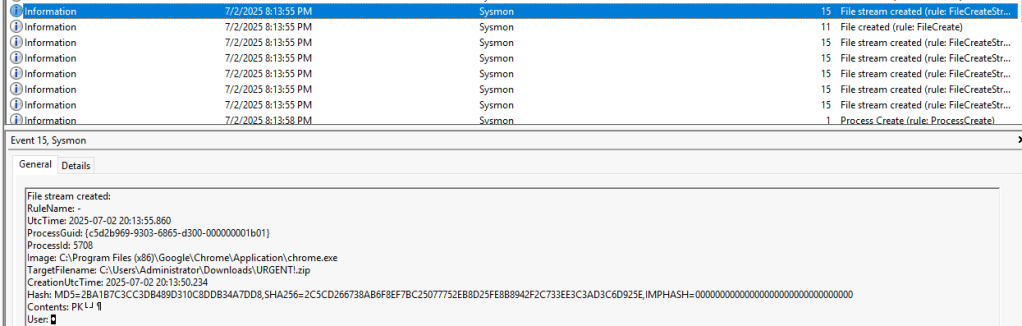
1.1 Which suspicious archive did the user download?
Answer: URGENT!.zip
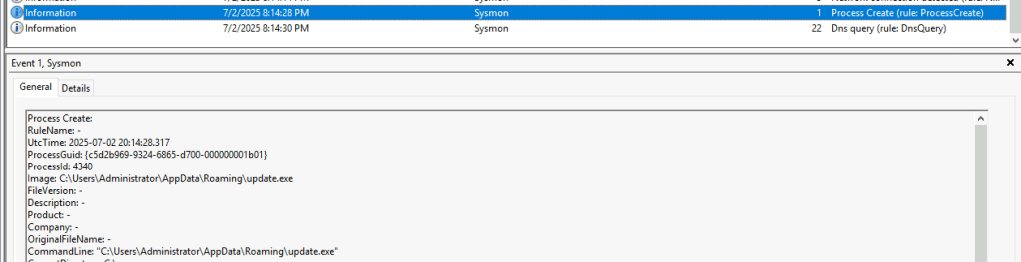
1.2 Where did the attackers hide the C2 malware file?
Answer: C:\Users\Administrator\AppData\Roaming\update.exe
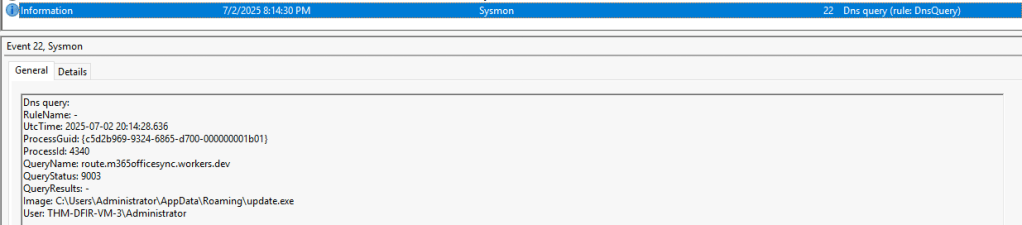
1.3 What is the domain of the Command and Control server?
Answer: route.m365officesync.workers.dev
2.1 How many times did the threat actor fail to log in to the Administrator?
Answer: 6

2.2 After the successful login, which backdoor user did the attacker create?
Answer: support
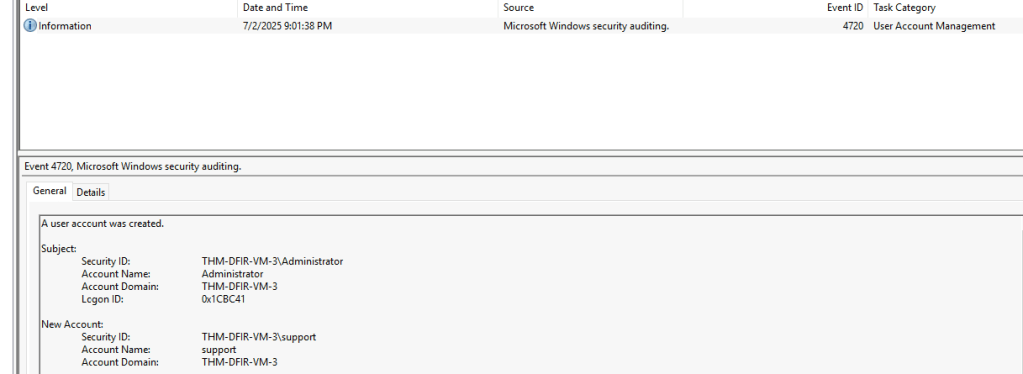
2.3 Which privileged group was the backdoor user added to?
Answer: Administrators
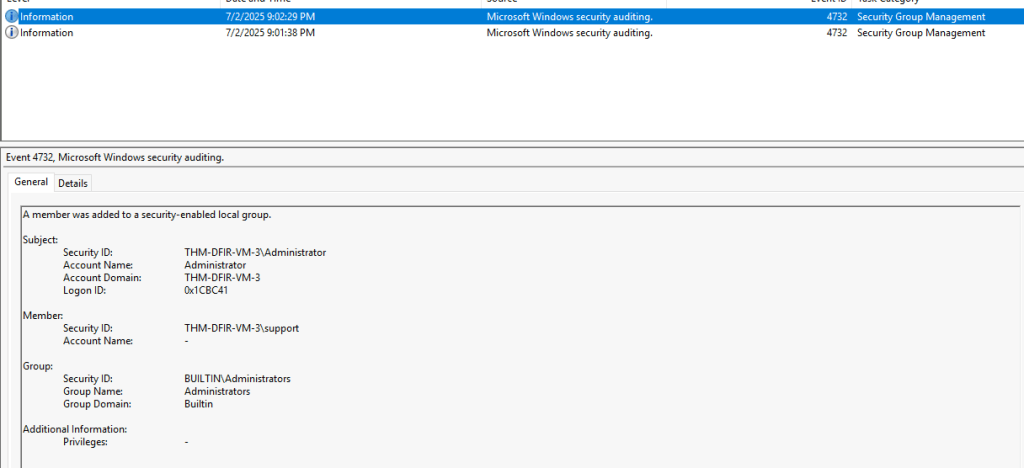
3.1 Which Windows service was created to persist the Nessie malware?
Answer: Data Protection Service

3.2 Which scheduled task was created to persist the Troy malware?
Answer: AmazonSync
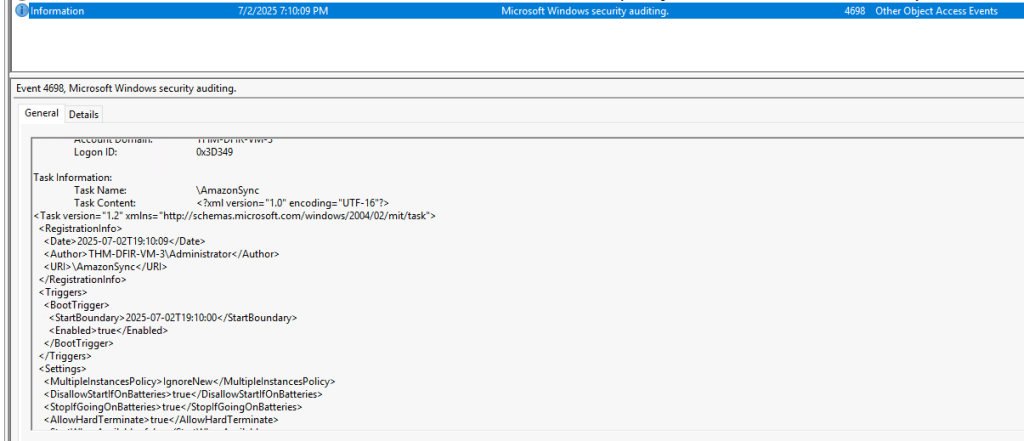
3.3 What flag do you get after finding and running the Troy malware?
Answer: THM{c2_is_on_schedule!}
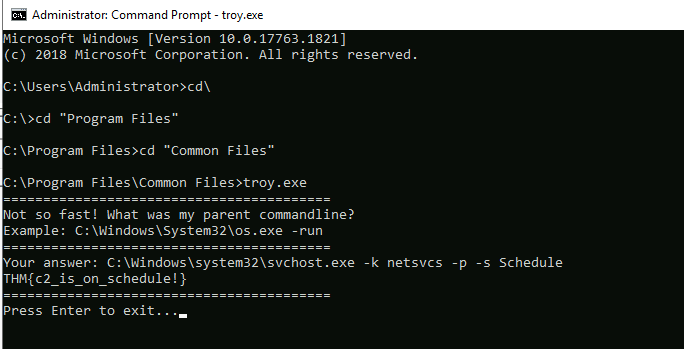
4.1 What is the parent process image of the “Odin” malware?
Answer: c:\windows\explorer.exe
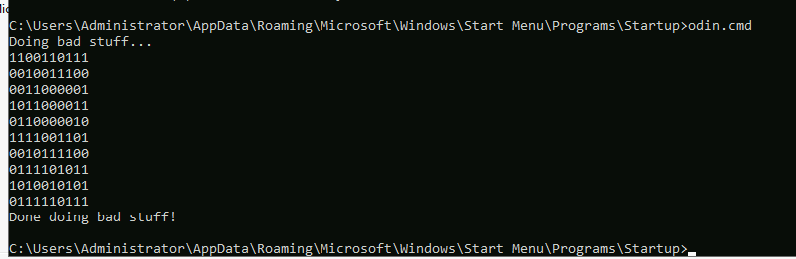
4.2 What is the last line that the “Odin” malware outputs?
Answer: Done doing bad stuff!
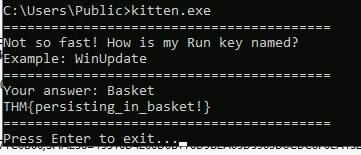
4.3 What flag do you get after finding and running the “Kitten” malware?
Answer: THM{persisting_in_basket!}
5.1 What is the biggest threat to most corporate Windows networks?
Answer: Ransomware
5.2 At which stage is it best to detect and stop the attack (e.g. Exfiltration)?
Answer: Initial Access

