The TryHackMe Introduction to EDR Room is a free room that teaches the basics of what and EDR system is and what it does. The room can be found at: https://tryhackme.com/room/introductiontoedrs
1.1 Which feature of EDR provides a complete context for all the detections?
Answer: Visibility
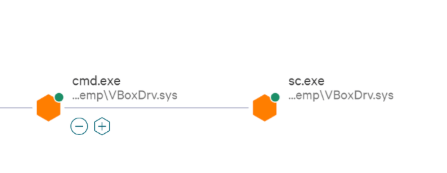
1.2 Which process spawned sc.exe?
Answer: cmd.exe
2.1 In the given analogy, what presents an AV?
Answer: immigration check
2.2 Which legitimate process was hijacked by the attacker in the scenario?
Answer: svchost.exe

2.3 Which security solution might mark this activity as clean?
Answer: Antivirus
3.1 Which component of the EDR is responsible for collecting telemetry from the endpoints?
Answer: Agent
3.2 An EDR agent is also known as a?
Answer: Sensor
4.1 Which telemetry data helps in detecting C2 communications?
Answer: Network Connections
4.2 Where are the configuration settings of a Windows system primarily stored?
Answer: Registry
5.1 Which feature of the EDR helps you identify threats based on known malicious behaviours?
Answer: IOC matching
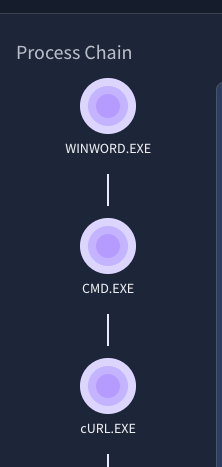
6.1 Which tool was launched by CMD.exe to download the payload on DESKTOP-HR01?
Answer: curl.exe
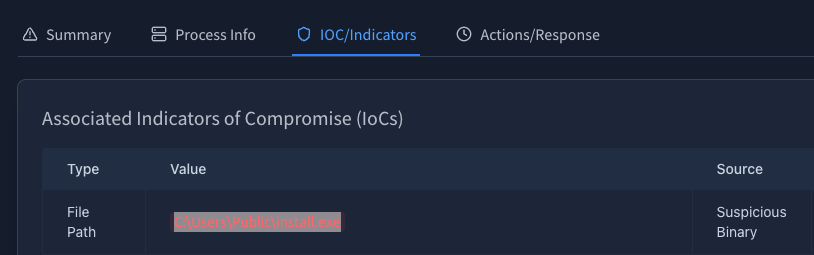
6.2 What is the absolute path to the downloaded malware on the DESKTOP-HR01 machine?
Answer: C:\Users\Public\install.exe
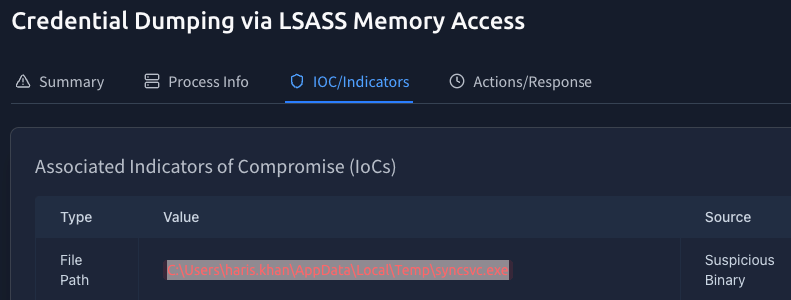
6.3 What is the absolute path to the suspicious syncsvc.exe on the WIN-ENG-LAPTOP03 machine?
Answer: C:\Users\haris.khan\AppData\Local\Temp\syncsvc.exe
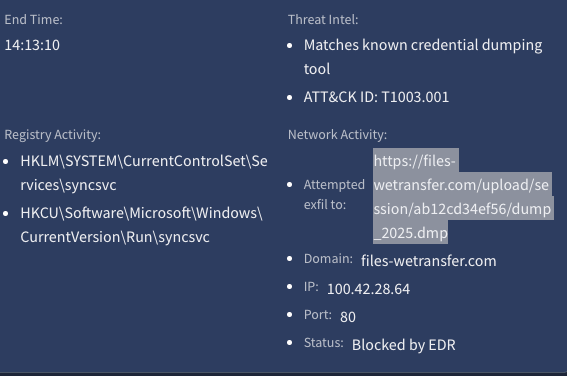
6.4 On which URL was the exfiltration attempt being made on WIN-ENG-LAPTOP03?
Answer: https://files-wetransfer.com/upload/session/ab12cd34ef56/dump_2025.dmp
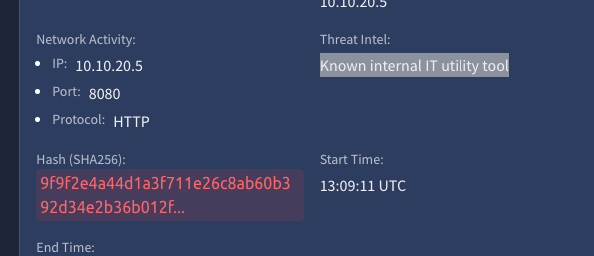
6.5 What was UpdateAgent.exe labelled by Threat Intel on DESKTOP-DEV01?
Answer: Known internal IT utility tool