

The TryHackMe Alert Triage with Splunk Room shows how you can use Splunk to determine the severity of alerts and then investigate those alerts. The room is available at: https://tryhackme.com/room/alerttriagewithsplunk
1.1 How many failed login attempts were made on the user john.smith?
Answer: 500
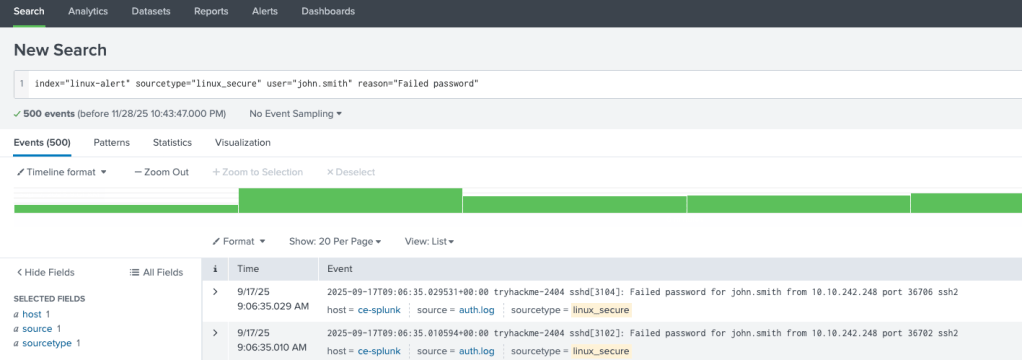
1.2 What was the duration of the brute force attack in minutes?
Answer: 5
1.3 What username was the attacker able to privilege escalate to?
Answer: root
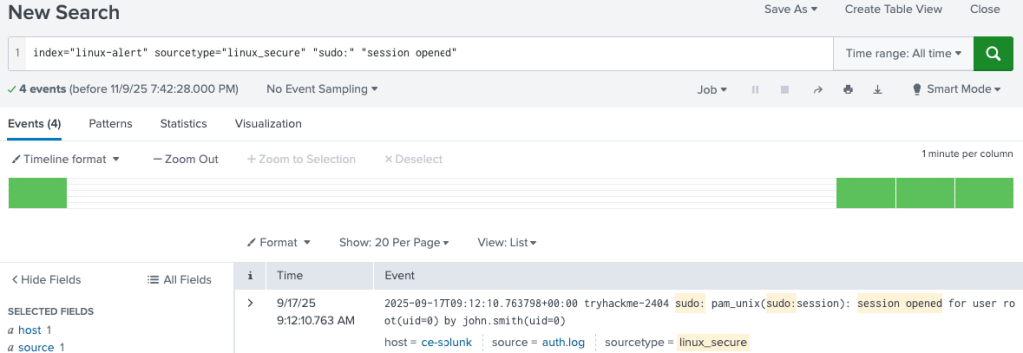
1.4 What is the name of the user account created by the attacker for persistence?
Answer: system-utm

2.1 What is the ProcessId of the process that created this malicious task?
Answer: 5816
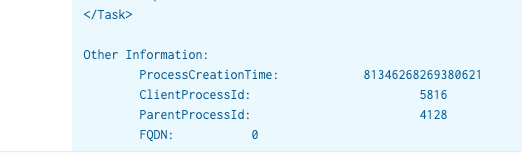
2.2 What is the name of the parent process for the process that created this malicious task?
Answer: cmd.exe


2.3 Which local group did the attacker enumerate during discovery?
Answer: Administrators

2.4 What is the name of the workstation from which the Threat Actor logged into this host?
Answer: DEV-QA-SERVER

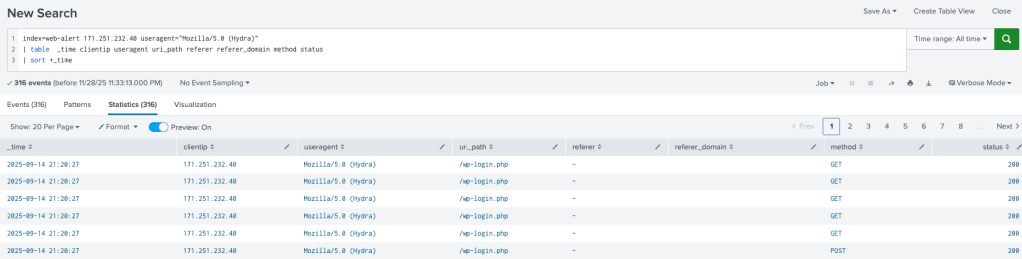
3.1 What time did the brute-force activity using Hydra begin?
Answer Format Example: 2025-01-15 12:30:45
Answer: 2025-09-14 21:20:27
3.2 Which user agent did the attacker use when interacting with the web shell?
Answer: Mozilla/5.0 (Windows NT 10.0; Win64; x64) AppleWebKit/537.36 (KHTML, like Gecko) Chrome/138.0.0.0 Safari/537.36

3.3 What was the number of requests made by the attacker to the server via the web shell?
Answer: 4


