The TryHackMe Windows Logging for SOC is a free room from TryHackMe which introduces users to the basics of getting logs from a Windows machine.
- Looking at the last screenshot, which event ID describes a successful login? (Answer format: LogSource / ID, e.g. Application / 8194)
Answer: Security / 4624
2.1 Open the “Practice-Security.evtx” file on the VM’s Desktop.
Which IP performed a brute force of the THM-PC?
Answer: 10.10.53.248

2.2 Which user has been breached as a result of the attack?
Answer: Administrator
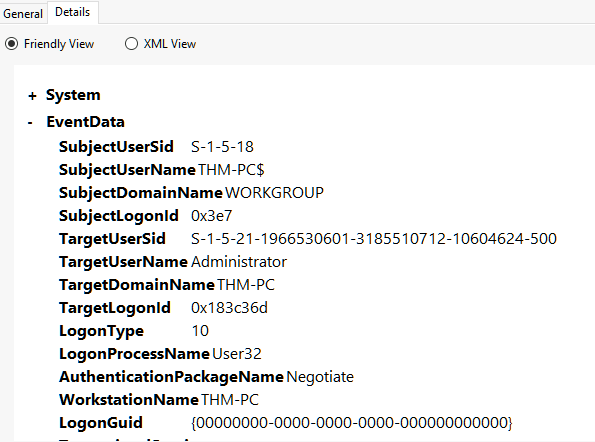
2.3 What was the Logon ID of the malicious RDP login?
Note: The login you are looking for has a Logon Type 10.
Answer: 0x183C36D

3.1 Continue with the “Practice-Security.evtx” file on the VM’s Desktop.
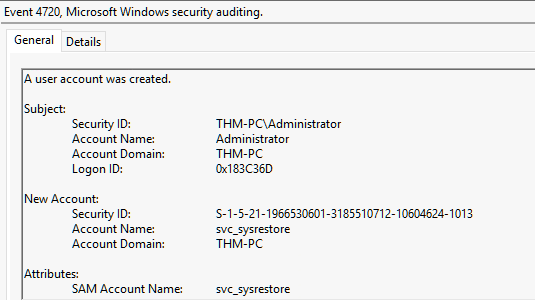
Which user was created by the attacker soon after the RDP login?
Answer: svc_sysrestore
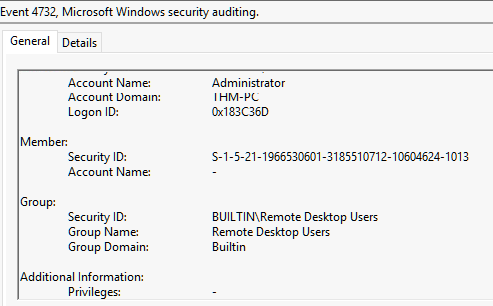
3.2 Which two privileged groups was the backdoor user added to?
(Answer in alphabetical order, e.g. “Administrators, Power Users”)
Answer: Backup Operators, Remote Desktop Users
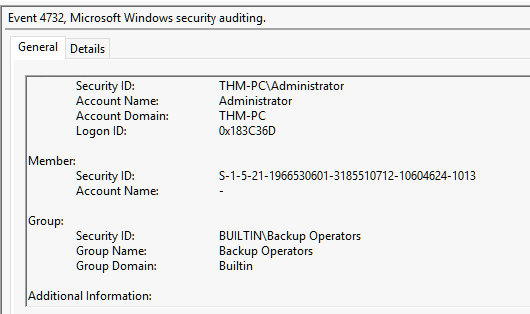
3.3 Does the Logon ID field match what you saw in the previous task (Yea/Nay)?
Answer: Yea
4.1 Open the “Practice-Sysmon.evtx” file on the VM’s Desktop. Which web browser does Sarah use to browse the web?
Answer: Google Chrome
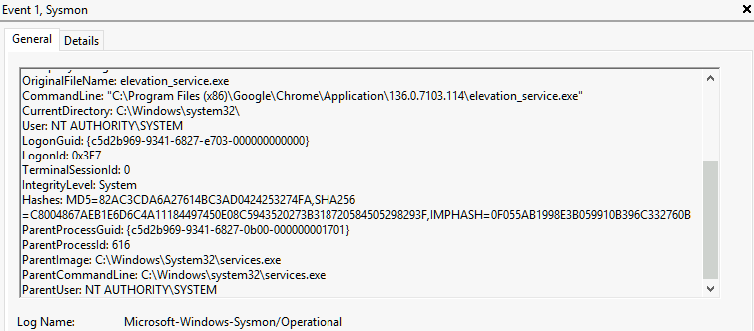
4.2 Which file did Sarah download from the browser?
Answer: C:\Users\sarah.miller\Downloads\ckjg.exe
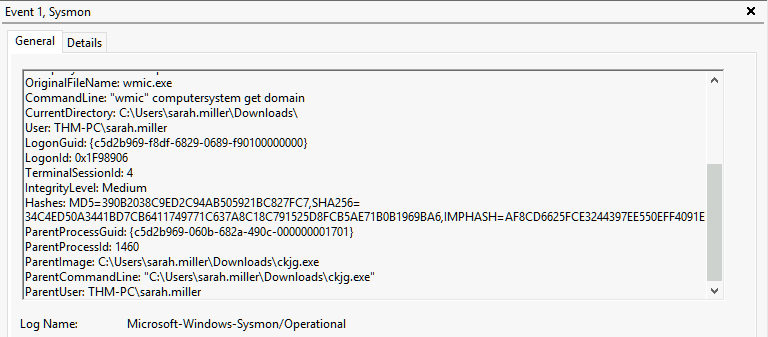
4.3 Which URL was the file downloaded from? Note: Use other Sysmon events to find out!
Answer: http://gettsveriff.com/bgj3/ckjg.exe

https://isc.sans.edu/diary/Sysmon+and+Alternate+Data+Streams/26292.
5.1 Continue with the “Practice-Sysmon.evtx” file on the VM’s Desktop. Which file was created by the downloaded malware to persist on the host?
Answer: C:\Users\sarah.miller\AppData\Roaming\Microsoft\Windows\Start Menu\Programs\Startup\DeleteApp.url
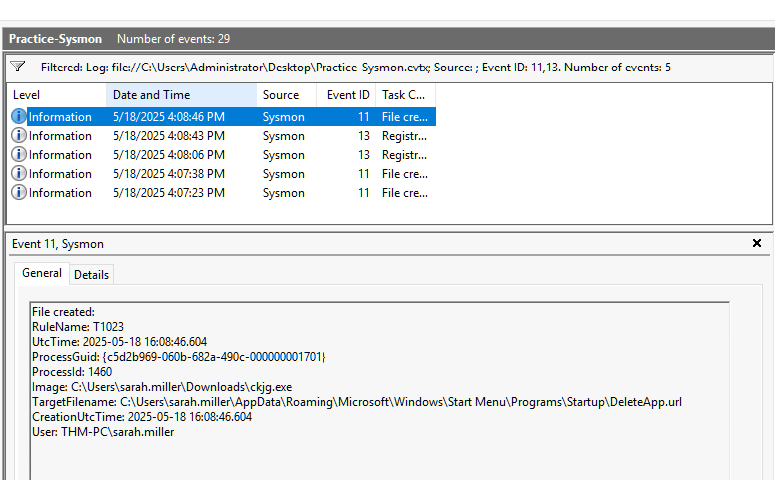
5.2 What is the Command & Control server malware connected to? (Answer in format IP:Port, e.g. 1.1.1.1:80)
Answer: 193.46.217.4:7777
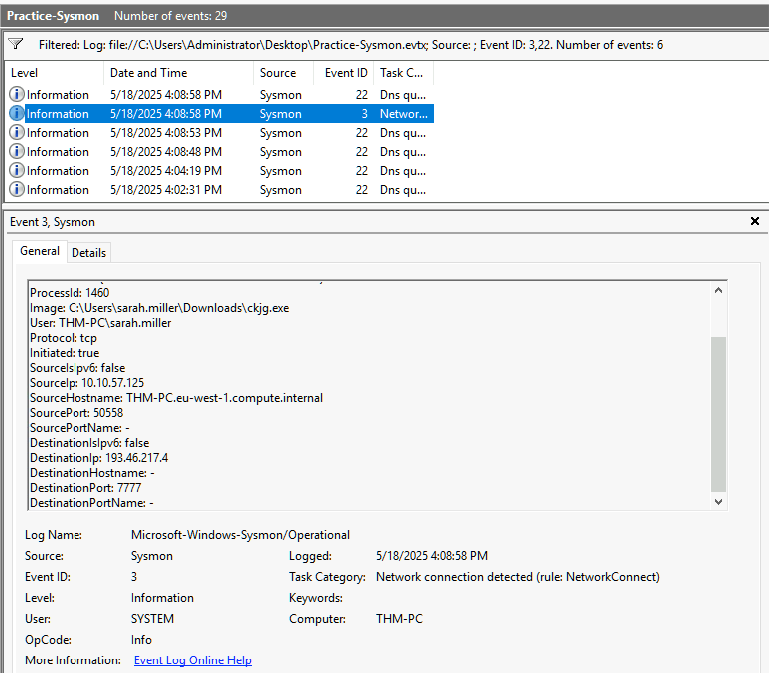
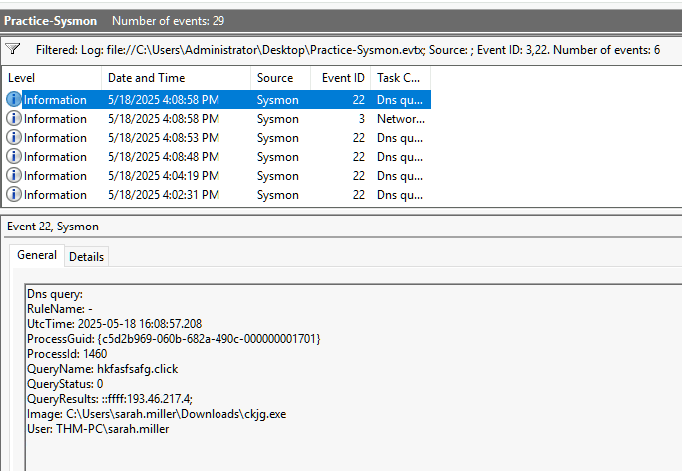
5.3 Finally, which domain does the malicious IP correspond to?
Answer: hkfasfsafg.click
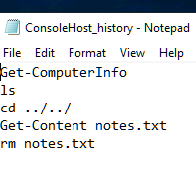
6.1 Review the Administrator’s PS history on the attached VM. Which PowerShell command was executed first?
Answer: Get-ComputerInfo
6.2 Review the Administrator’s PS history on the attached VM. Which PowerShell command was executed first?
Answer: May 18, 2025

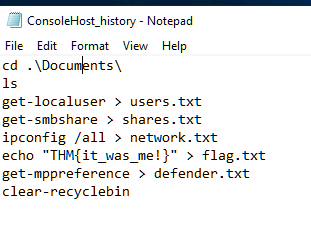
6.3 Can you find the flag stored in the PowerShell history? (Format: THM{…})
Note: You might want to check the PS history of other local users!
Answer: THM{it_was_me!}