

The TryHackMe Windows Threat Detection 2 is the second in a series of subscriber only rooms that show to attempt to detect and analyse an attacker after they break into a Windows machine. The room is available at: https://tryhackme.com/room/windowsthreatdetection2
1.1 Open CMD and type “net user Administrator”. Which privileged group does the user belong to?
Answer: Administrators

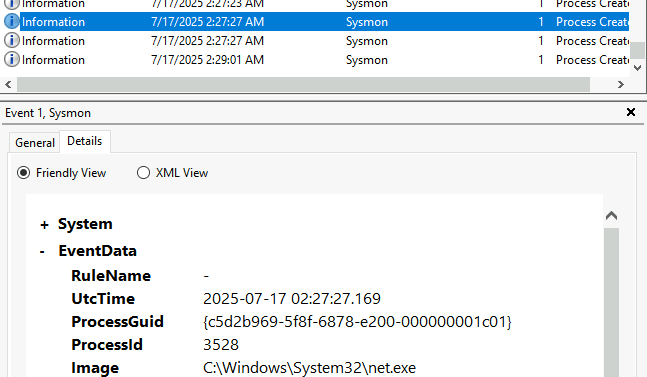
1.2 Open Event Viewer and try to find your command in Sysmon logs. What is the “Image” field of the net command you just run?
Answer: C:\Windows\System32\net.exe
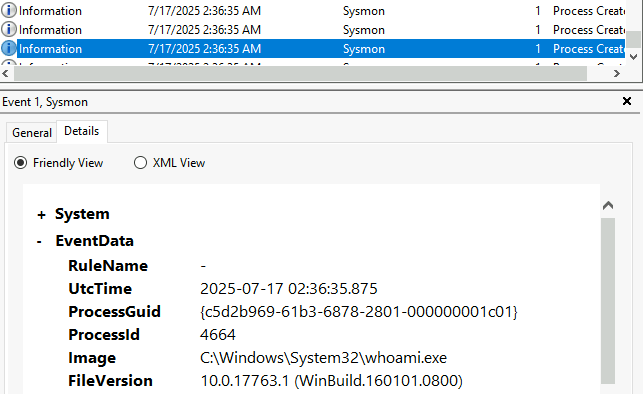
2.1 Looking at Sysmon logs, what is the first command the invoice.pdf.exe executes?
Answer: whoami
2.2 Which command did the malware use to check the presence of MS Defender EDR?
Answer: cmd /c “tasklist /v | findstr MsSense.exe || echo No MS Defender EDR”

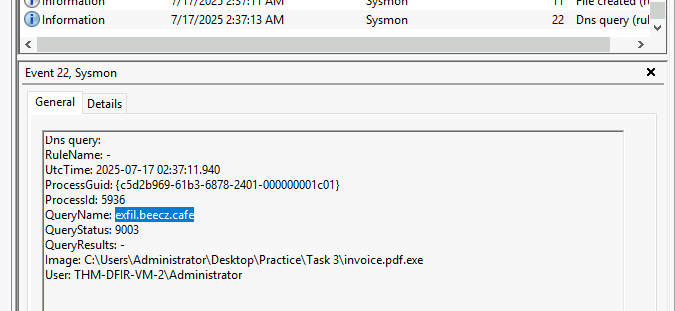
2.3 To which domain did the malware send the discovered data?
Answer: exfil.beecz.cafe
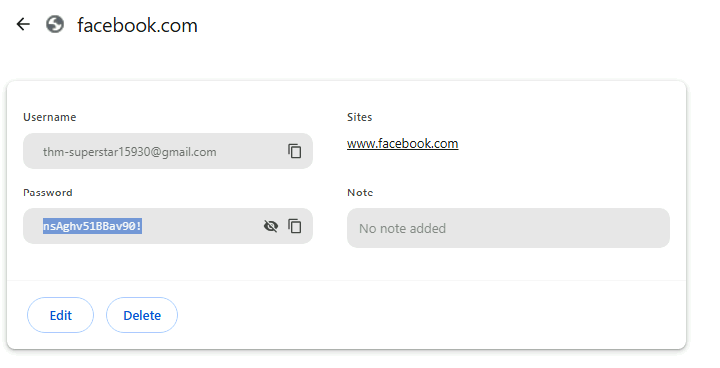
3.1 What is the Facebook password that the user saved in Chrome? (Chrome menu > Passwords and autofill > Password Manager)
Answer: nsAghv51BBav90!
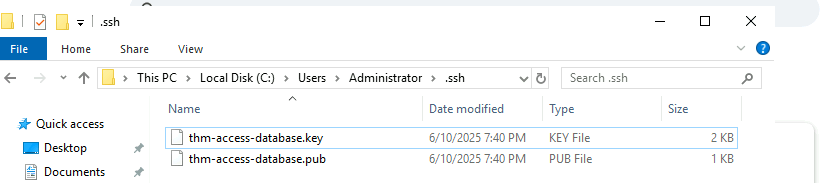
3.2 Which interesting SSH key does the user store on disk? (Start your search from C:\Users\Administrator)
Answer: thm-access-database.key
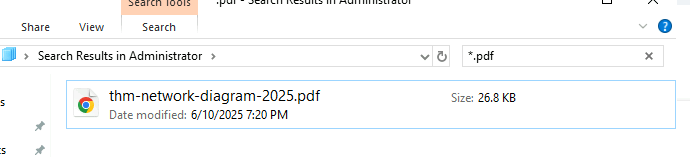
3.3 What is the secret PDF file explaining TryHackMe’s internal network?
(Look for the file on the Desktop, Downloads, and Documents)
Answer: thm-network-diagram-2025.pdf
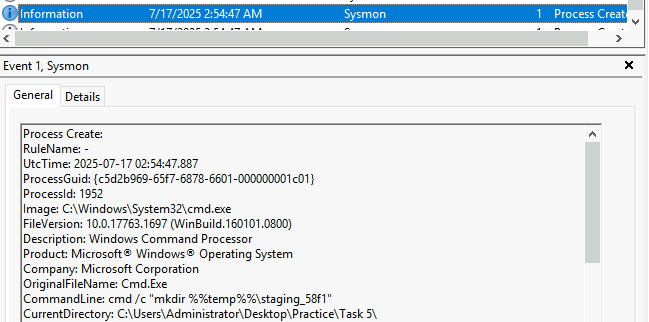
4.1 Looking at Sysmon logs, what directory does the stealer create?
Answer: staging_58f1
Which three file extensions does the malware search for? Format: Separate by comma in alphabetic order (e.g. bat, txt)
Answer: docx, pdf, xlsx



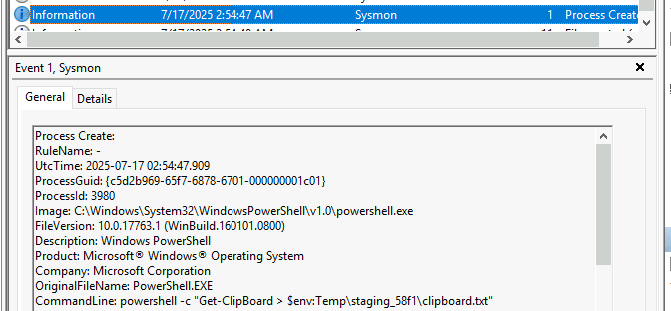
4.3 Which PowerShell cmdlet does the malware use to get clipboard content?
Answer: Get-ClipBoard
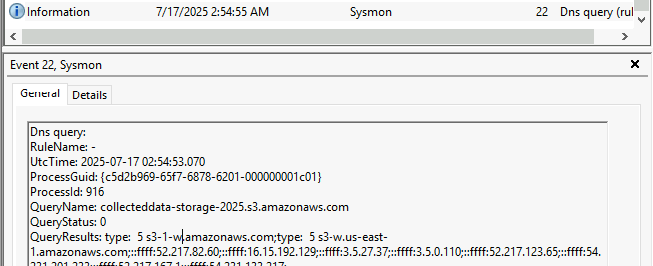
4.4 Which domain does the malware exfiltrate the data to?
Answer: collecteddata-storage-2025.s3.amazonaws.com
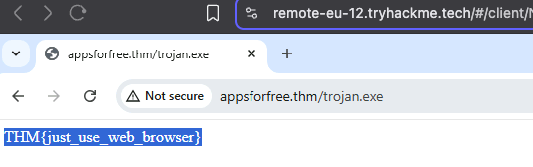
5.1 Open the Chrome browser on the VM and navigate to the URL. What is the flag in the response?
Answer: THM{just_use_web_browser}
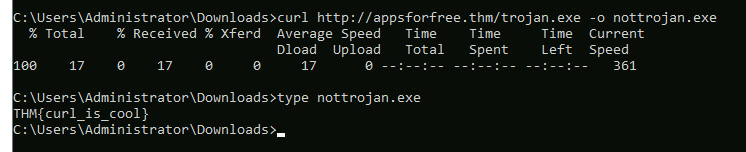
5.2 Next, open CMD and download the file from the same URL using curl.exe. What is the flag in the response?
Answer: THM{curl_is_cool}
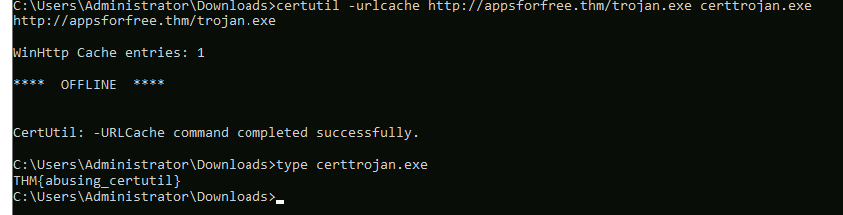
5.3 Continue with the same CMD and URL, but now using certutil.exe. What is the flag in the response?
Answer: THM{abusing_certutil}
5.4 Finally, download the same file using PowerShell IWR. What is the flag in the response?
Answer: THM{power_of_powershell}


