

The TryHackMe Linux Live Analysis Room is a subscriber only room from TryHackMe and is part of the Advanced Endpoint Investigations Learning Path. This room teaches the basic of Live forensics on a Linux machine. The room is available at: https://tryhackme.com/room/linuxliveanalysis
1.1 What hostname is returned after running the following query? Query: select * from etc_hosts where address = ‘0.0.0.0’;
Answer: attacker.thm

1.2 On the official website, how many tables are listed for Linux OS?
Answer: 154
2.1 What is the Machine ID of the machine we are investigating?
Answer: dc7c8ac5c09a4bbfaf3d09d399f10d96

2.2 What is the architecture of the host we are investigating?
Answer: x86_64
From here on, you would need to use the command sudo osqueryi or you will not be able to see all the hidden processes.
3.1 What is the name of the process running from the tmp directory? (Note: Not Hidden one)
Answer: sshdd

3.2 What is the name of the suspicious process running in the memory of the infected host?
Answer: .systm_updater
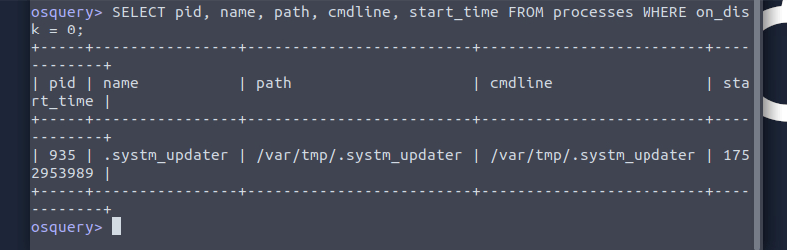
3.3 What is the name of the process running from the user directory?
Answer: rdp_updater

4.1 What is the state of the local port that is listening on port 80?
Answer: ESTABLISHED

5.1 Investigate the opened files. What is the opened file associated with the suspicious process running on the system?
Answer: keylogger.log

5.2 What is the name of the process that is associated with the suspicious file found in the above question?
Answer: sshdd

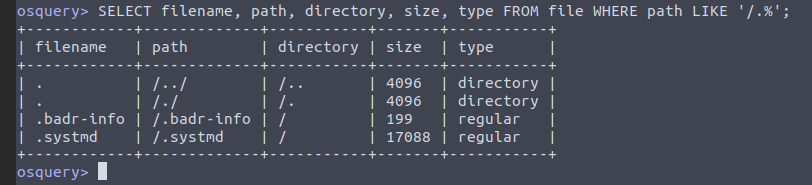
5.3 What is the name of the hidden binary found in the root directory?
Answer: .systmd
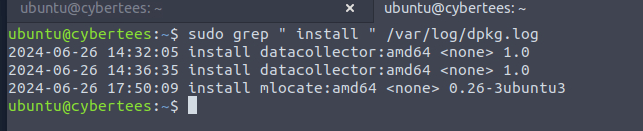
5.4 What is the name of the suspicious package installed on the host?
Answer: datacollector
5.5 The suspicious package contains a secret code. What is the code hidden in the description?
Answer: {NOT_SO_BENIGN_Package}

6.1 Which suspicious service was observed to be installed on this infected machine using netcat?
Answer: systm.service

6.2 What is the full path of the process found in the cron table?
Answer: /home/badactor/storage/.secret_docs/rdp_updater


