

The TryHackMe Linux Threat Detection 2 Room is the second in a series on how to detect someone breaking into a Linux machine. The room is a subscriber only room and is available at: https://tryhackme.com/room/linuxthreatdetection2
1.1 Run systemd-detect-virt to detect the system’s cloud.
What is the command’s output you discovered?
Answer: amazon

1.2 Now run ps aux and look for EDR or antivirus processes.
What is the full path to the detected antimalware binary?
Answer: /var/lib/ultrasec/malscan

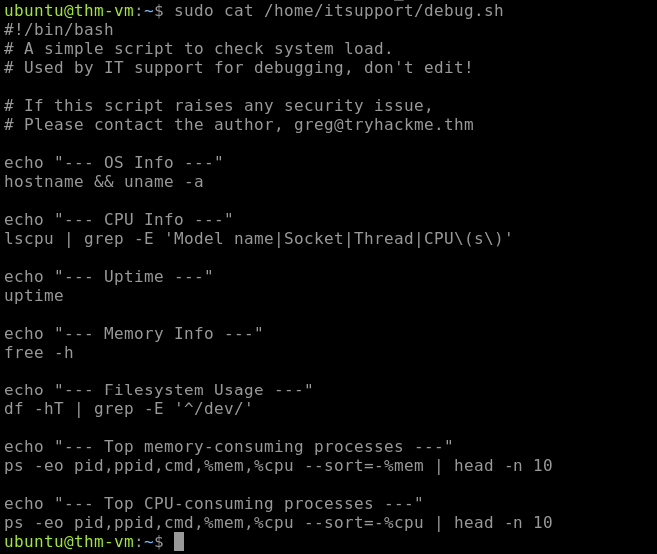
2.1 What is the path of the script that initiated the “hostname” command?
Answer: /home/itsupport/debug.sh

2.2 What was the last Discovery command launched by the script?
Answer: ps -eo pid,ppid,cmd,%mem,%cpu –sort=-%cpu

2.3 Looking at the script content, what’s the email of the script author?
Answer: greg@tryhackme.thm
2.1 From which domain was the Elastic agent downloaded?
Answer: artifacts.elastic.co

2.2 What is the full path to the downloaded “helper.sh” script?
Answer: /var/tmp/helper.sh

2.3 Which of the downloaded files is more likely to be malicious:
The one downloaded with curl or wget?
Answer: curl
3.1 Which IP address managed to brute-force the exposed SSH?
Answer: 45.9.148.125

3.2 Which command did the attacker use to list the last logged-in users?
Answer: last

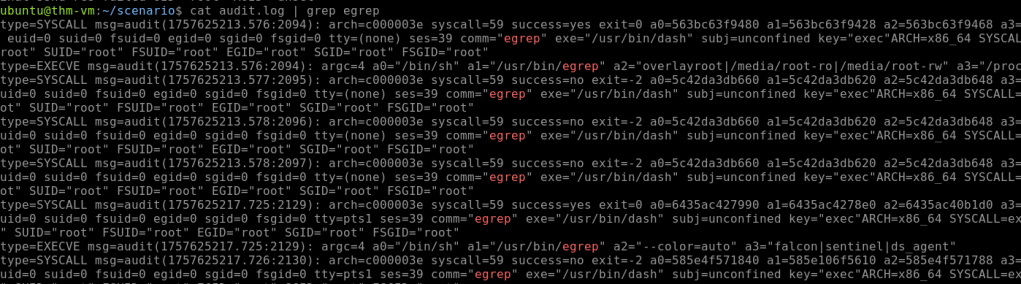
3.3 Which three EDR processes did the attacker look for with “egrep”?
Answer Format: Separated by a comma, in alphabetical order.
Answer: ds_agent,falcon,sentinel
4.1 What is the name of the malicious archive that was transferred via SCP?
Answer: kernupd.tar.gz

4.2 What was the full command line of the cryptominer launch?
Answer: nohup /tmp/.apt/kernupd/kernupd

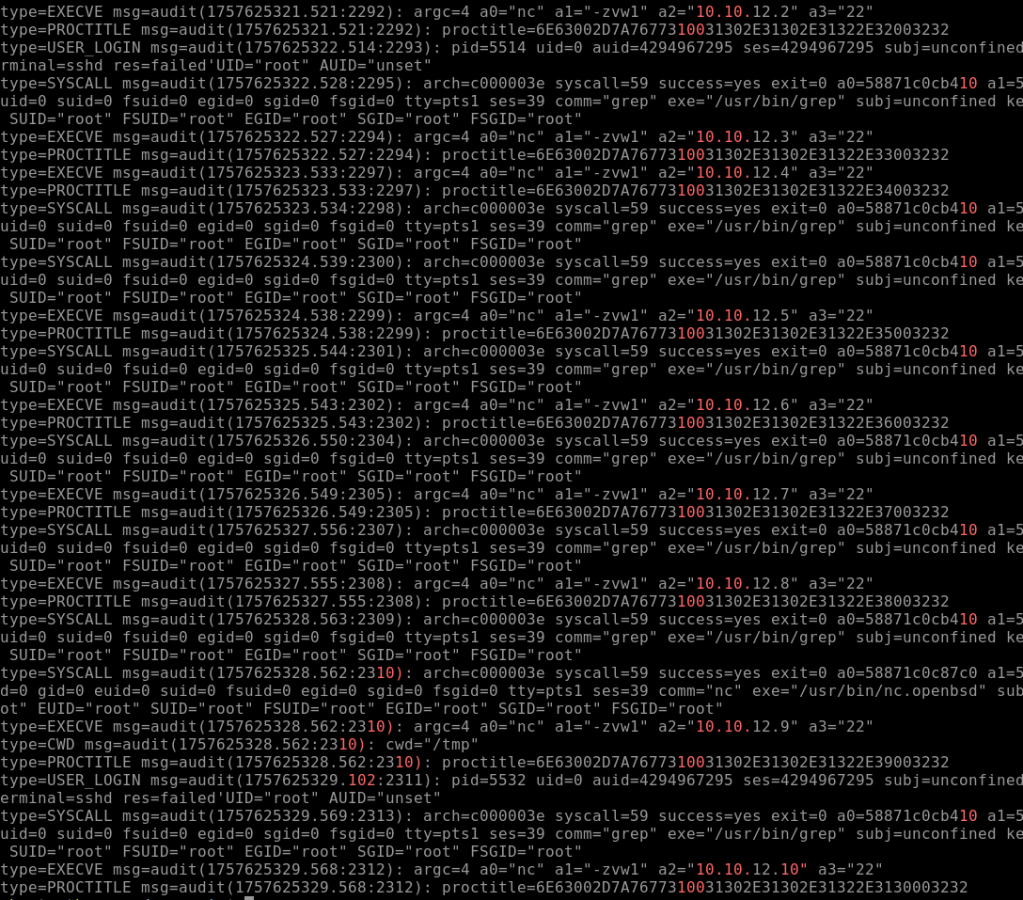
4.3 Which IP address range did the attacker scan for an exposed SSH?
Answer Example: 10.0.0.1-10.0.0.126.
Answer: 10.10.12.1-10.10.12.10


Great and helpful. Cheers
LikeLike