

The TryHackMe Threat Detection 3 Room is the last room in a series that covers attacks on Linux machines and how to detect them by reading log files. The room is available at: https://tryhackme.com/room/linuxthreatdetection3
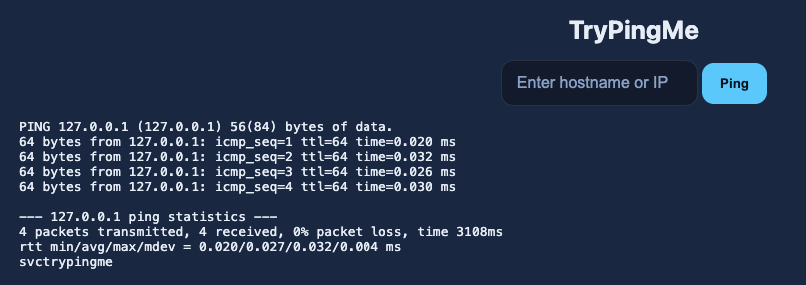
1.1 Run 127.0.0.1 && whoami in the TryPingMe web app.
What output do you see after the ping results?
Answer: svctrypingme
1.2 What is the flag returned in the TryPingMe response?
Answer: THM{revshells_practitioner!}


1.3 Now look at the exported auditd logs at /home/ubuntu/scenario.
Which IP spawned a similar reverse shell via the TryPingMe app?
Answer: 10.14.105.255

2.1 Which command line was used to look for the “pass” keyword in files?
Answer: grep -iR pass .

2.2 Which command line was used to escalate privileges to root?
Answer: su root

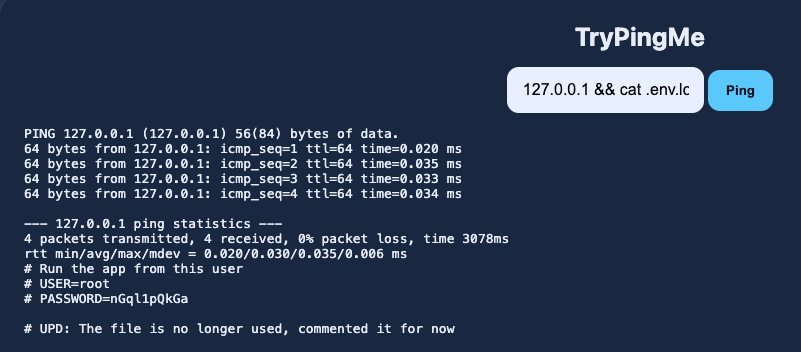
2.3 Looking at the detected .env file, what was the root password?
Answer: nGql1pQkGa

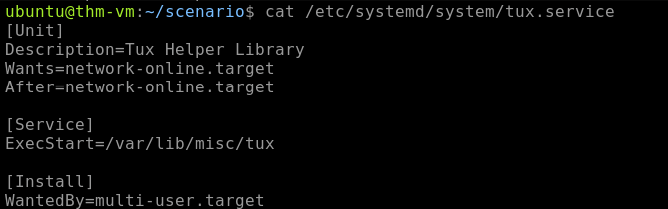
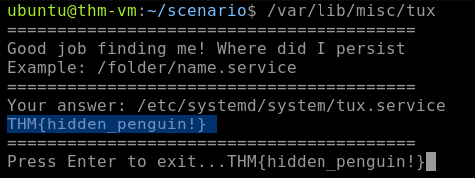
3.1 What flag did you get after running the malware persisting as a service?
Answer: THM{hidden_penguin!}

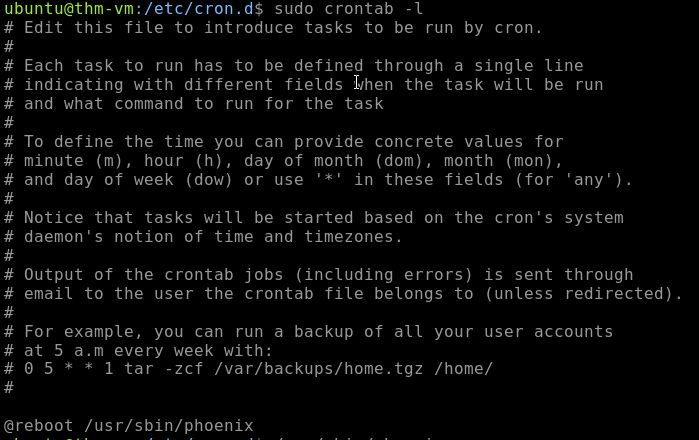
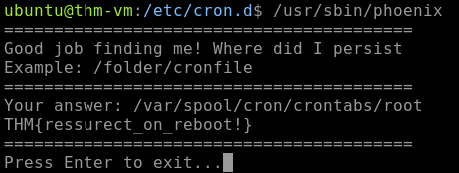
3.2 What flag did you get after running the malware persisting as a cron job?
Answer: THM{ressurect_on_reboot!}
4.1 Which user was created and added to the sudo group?
Answer: koichi

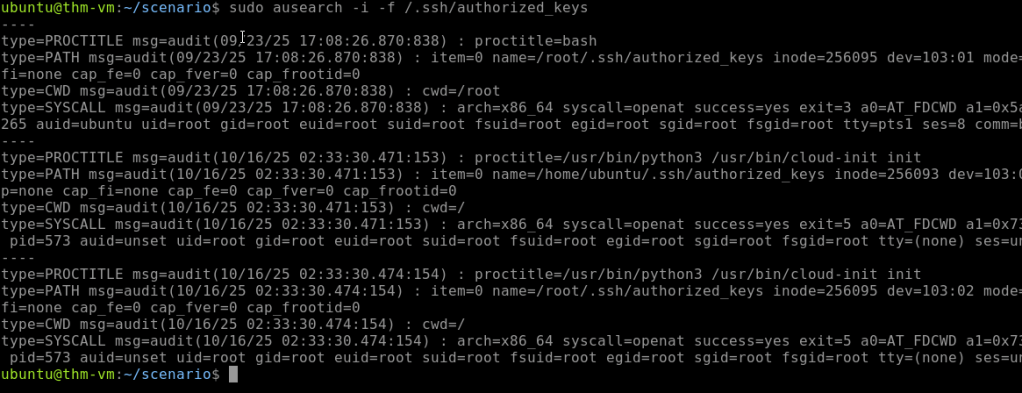
4.2 Which file was changed to allow SSH key persistence?
Answer: /root/.ssh/authorized_keys
5.1 Does Linux ransomware exist and impact organizations worldwide? (Yea/Nay)
Answer: Yea
5.2 Should you learn Linux threats even if working with Windows? (Yea/Nay)
Answer: Yea

