

The TryHackMe Exploring Wazuh Room explains the basics of the free and oen source Wazum security system. The room is available at: https://tryhackme.com/room/exploringwazuh
1.1 What is the status of the agents managed by this Wazuh?
Answer: Disconnected
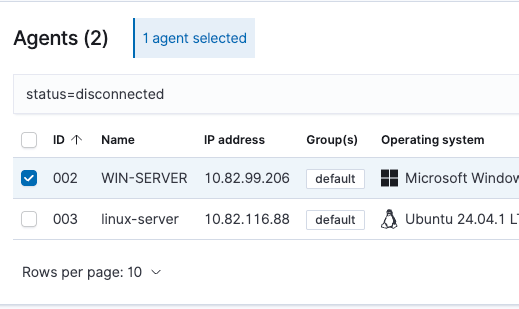
1.2 Click on the Windows agent. What is the CPU field value?
Answer: AMD EPYC 7571

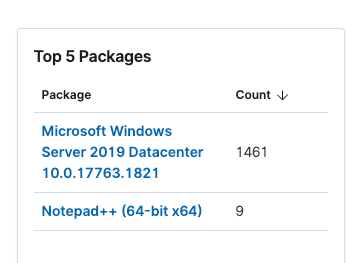
2.1 Open the Windows agent and navigate to its IT Hygiene tab. What custom text editor is installed there (Software > Packages)?\
Answer: Notepad++
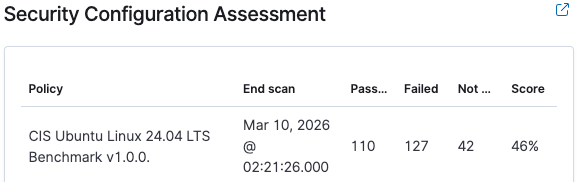
2.2 Now open the Linux agent and its Configuration Assessment tab. What is the CIS Benchmark score of the Linux agent (e.g., 65%)?
Answer: 46%
3.1 What is the latest Notepad++ vulnerability found on the Windows agent? Provide the most recent CVE number, such as CVE-2026-23569.
Answer: CVE-2026-25926

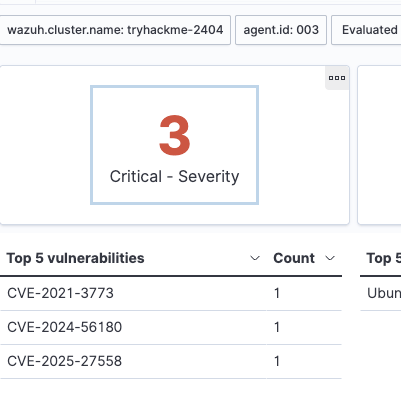
3.2 What is the earliest critical vulnerability found on the Linux agent? Provide the oldest CVE number, such as CVE-2015-3719.
Answer: CVE-2021-3773
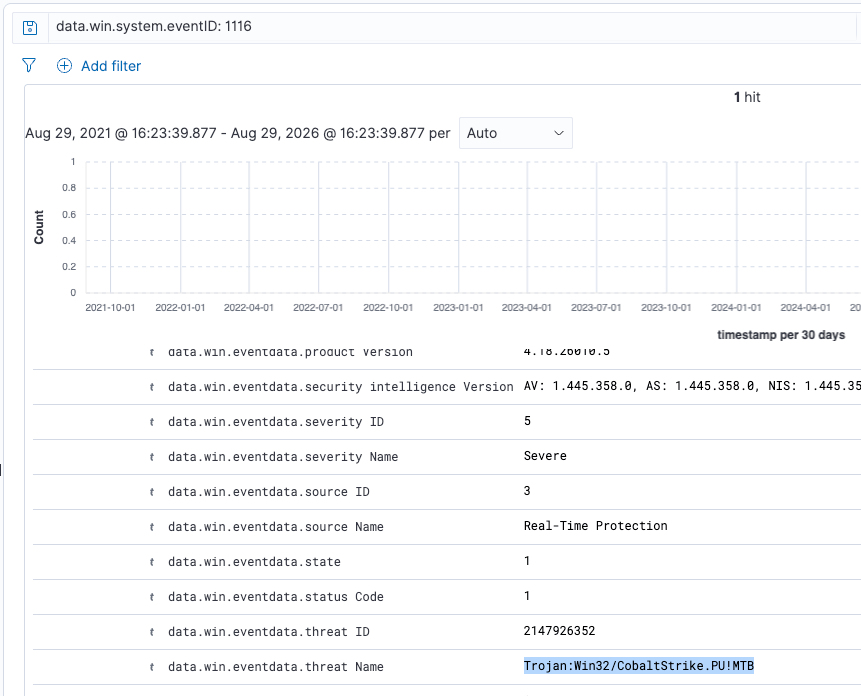
4.1 Navigate to Discover and search for Defender alerts for the last 5 years. You can use the query: data.win.system.eventID: 1116. What is the threat name of the detected malware?
Answer: Trojan:Win32/CobaltStrike.PU!MTB
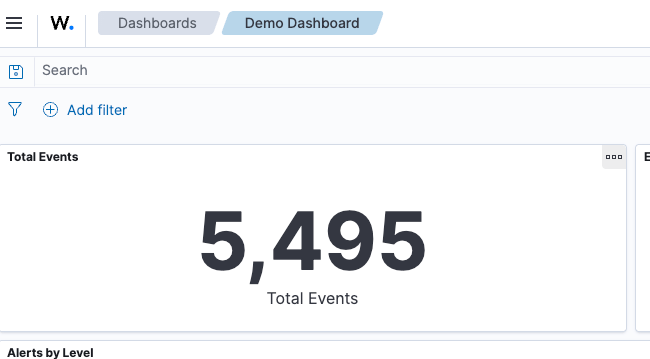
4.2 Navigate to the Demo Dashboard. How many total events are shown?
Answer: 5495
5.1 How do you call the Wazuh element that extracts fields from raw logs?
Answer: Decoder
5.2 What Wazuh alert is more critical, the one with rule.level set to 10 or 15?
Answer: 15

